Elevate Your Brand Identity with a Professional 3D Business Card Mockup Template
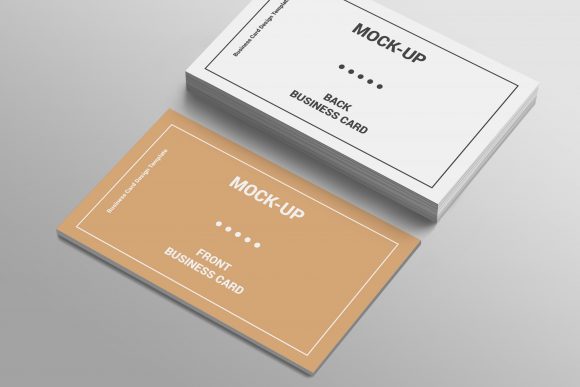
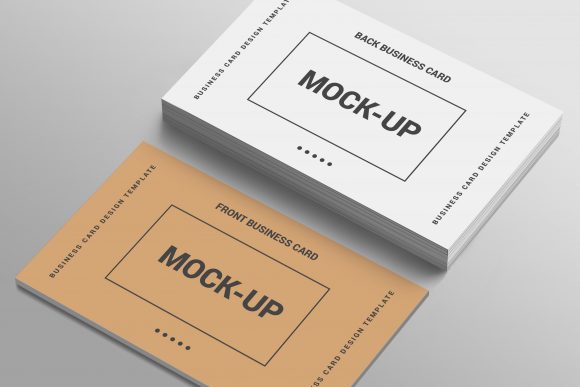
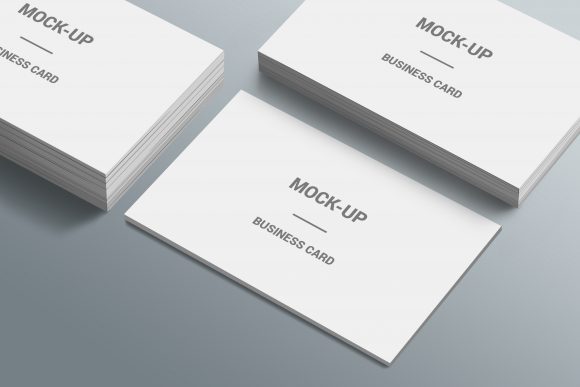
In the digital age, where networking often begins with a swipe or a scan, the physical business card remains a powerful tool for making a lasting first impression. However, presenting your design in a flat, two-dimensional image online rarely does justice to the craftsmanship and thought put into the actual product. This is where a high-quality 3D Business Card Mockup Template becomes an indispensable asset for designers, marketing professionals, and business owners alike. By transforming static designs into realistic, three-dimensional representations, these templates allow you to showcase your brand identity with depth, texture, and context.
The Power of Realism in Design Presentation
When you are pitching a new brand identity or showcasing a portfolio, the way your work is presented can be just as important as the design itself. A flat JPEG of a business card can look generic and uninspired. In contrast, a 3D mockup places that design into a believable environment. It simulates lighting, shadows, paper texture, and even slight imperfections that occur in real-world printing. This level of detail helps clients and stakeholders visualize the final product before it is ever printed, reducing uncertainty and building confidence in the design.
Using a 3D Business Card Mockup Template bridges the gap between digital creation and physical reality. It allows you to demonstrate how different paper stocks, finishes like matte or glossy lamination, and edge treatments will look under various lighting conditions. For instance, seeing a gold foil accent catch the light in a realistic render can significantly increase the perceived value of the design, something that is nearly impossible to convey through a standard digital file alone.
Key Features That Define a Superior Mockup
Not all mockups are created equal. When selecting a template for your projects, certain features distinguish a professional-grade asset from a basic placeholder. Understanding these characteristics ensures you get the most out of your design workflow.
Changeable Backgrounds for Contextual Storytelling
One of the most valuable aspects of a modern 3D Business Card Mockup Template is the ability to change the background. The setting in which your business card is placed tells a story about your brand. A card resting on a sleek marble surface suggests luxury and sophistication, while one lying on a rustic wooden desk might appeal to a creative agency or a craft-based business. Being able to swap out backgrounds allows you to tailor your presentation to specific client industries or campaign themes without needing to reshoot photos or recreate complex scenes from scratch.
Single Photoshop PSD File with Smart Objects
Efficiency is crucial in the design world. The best mockups are delivered as a single, well-organized Photoshop PSD File. Within this file, the core feature is the use of Smart Object technology. This means you do not need to manually mask, warp, or distort your design to fit the card’s perspective. Instead, you simply double-click the smart object layer, paste your flat design, save, and exit. The template automatically applies the necessary perspective, blending modes, and shadows to integrate your artwork seamlessly. This process saves hours of manual labor and ensures pixel-perfect results every time.
Editable PSD Background Layers
Beyond just changing the background image, advanced templates offer fully editable PSD backgrounds. This allows for deeper customization. You might want to adjust the brightness, color grade, or blur level of the environment to ensure your business card stands out as the focal point. Some templates also include adjustable lighting effects, allowing you to simulate morning sunlight, studio spotlights, or moody evening tones. This flexibility ensures that the mockup fits perfectly within any broader visual campaign or website layout.
New Style Mockup Design and Organized Layers
A New Style Mockup Design reflects current trends in photography and minimalism. Modern mockups often feature clean compositions, natural textures, and subtle depth-of-field effects that mimic high-end camera lenses. Furthermore, a Fully Organized Layer structure is essential for usability. Complex files can become chaotic, making it difficult to locate specific elements. A well-structured PSD file groups layers logically—such as separating the card face, the back, the shadow cast, and the background props. This organization makes it easy to toggle visibility, edit specific components, or troubleshoot issues without disrupting the entire composition.
Who Benefits from Using 3D Business Card Mockups?
The utility of a 3D Business Card Mockup Template extends across a wide range of professionals and scenarios.
- Graphic Designers: For freelancers and agencies, mockups are a critical part of the proposal process. They allow designers to present their work professionally, justifying their fees by demonstrating the tangible quality of the deliverables.
- Print Shops: Printing companies can use these mockups to show potential customers what different paper weights and finishes look like. This visual aid can help upsell premium services by making abstract options concrete.
- Entrepreneurs and Small Business Owners: Even if you are not a designer, using a pre-made template allows you to create stunning social media posts, website banners, or pitch decks that highlight your brand’s professionalism.
- Social Media Managers: Engaging visuals drive engagement. A 3D mockup is far more likely to stop the scroll on Instagram or LinkedIn than a flat image, helping brands maintain a consistent and polished aesthetic online.
Practical Applications and Real-World Scenarios
Consider a scenario where a tech startup is rebranding. They have designed a minimalist, dark-themed business card with neon accents. On a white background, the design might feel harsh or incomplete. By placing it in a 3D Business Card Mockup Template with a dark, moody background and dramatic lighting, the neon colors pop, and the overall vibe aligns with the company’s innovative and edgy identity.
Another common use case is for e-commerce listings. If you are selling digital design assets or print-on-demand services, your product images are your salespeople. High-quality mockups reduce return rates because customers have a clearer expectation of what they are buying. They see exactly how the card will look when held, folded, or displayed on a desk.
Evaluating Suitability for Your Needs
While the benefits are clear, it is important to choose the right template for your specific project. Not every mockup fits every brand. Here are a few considerations to keep in mind:
- Resolution and Quality: Ensure the template is high-resolution (at least 300 DPI) so that it looks sharp when printed or viewed on high-definition screens. Blurry mockups can detract from the quality of your design.
- Lighting Consistency: Check that the lighting in the mockup is natural and consistent. Artificial-looking shadows can make the image appear fake and untrustworthy.
- Customization Flexibility: As mentioned, look for templates with editable backgrounds and smart objects. Rigid templates that require extensive editing skills may slow down your workflow.
- Style Alignment: Choose a style that matches your brand voice. A playful, colorful mockup might not suit a corporate law firm, whereas a stark, black-and-white mockup might feel too cold for a children’s book publisher.
Conclusion
Incorporating a 3D Business Card Mockup Template into your design workflow is more than just a aesthetic choice; it is a strategic move that enhances communication, builds trust, and elevates your brand perception. By leveraging features like changeable backgrounds, smart object editing, and organized layers, you can produce professional presentations quickly and efficiently. Whether you are a seasoned designer looking to streamline your portfolio or a business owner aiming to make a strong first impression, these tools provide the realism and polish needed to stand out in a crowded marketplace. Embrace the power of 3D visualization to bring your flat designs to life and create memorable experiences for your audience.